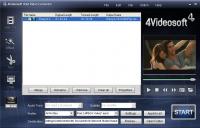
4Videosoft iPad Video Converter can give you a great hand on converting video files to your iPad. You can convert a wide range of videos & audios for watching or listening on your iPad, as well as on iPod, iPhone and many other media players.
4Videosoft iPad Video Converter can give you a great hand on converting video files to your iPad. You can convert a wide range of videos & audios for watching or listening on your iPad, as well as on iPod, iPhone and many other media players. Because it can convert AVI to iPad, WMV to iPad Video, M4V to iPad Video, HD to iPad Video and MTS, 3GP, HD MP4, etc to iPad compatible videos like MPEG-4, H.264/MPEG-4 AVC, MOV, M4V. iPad is perfect for watching any kind of video: from common videos to HD movies and other files.
As best iPad Video Converter, it also provides you more choices for editing - merge into one, trim any clips, crop playing region, add watermark. This unique video converter for iPad can help you fully enjoy your iPad to show its value. Plus, 6X faster conversion speed with NVIDIAŽ CUDA? now.
Key functions:
1. Support to convert all video formats to iPad
4Videosoft iPad Video Converter enables you to convert all popular video formats to other videos supported by iPad. iPad supports MPEG-4, H.264/MPEG-4 AVC, MOV, M4V video file formats.
2. Get iPad compatible audios for you
Convert popular audios or extract audio from almost all videos including MPG, MPEG, MPEG 2, VOB, DAT, MP4, M4V, TS, RM? and save as iPad AAC, MP3, WAV, AIFF, M4A.
3. Merge into a file
Video to iPad Converter software provides an easy way to combine and join multiple videos together. Just select the videos you want to join and click the ?merge? you can finish it easily. So that you can enjoy a long video.
4. Add multiple files one time
If you have a lot of videos to be converted to iPad videos, but you do not want to waste time to convert them one by one. You can use the iPad video converter for conversion.
5. Provide rich output setting options
Make advanced encoding settings: Video Encoder, Resolution, Frame Rate, Video Bitrate and Audio Encoder, Sample Rate, Channels, Audio Bitrate.
Whats new in version 4.0.12:
Now 6X faster conversion speed with NVIDIAŽ CUDA?.
Requirements:
800MHz Intel or AMD CPU, or above; 512MB RAM or more
Operating system:
Win2000,Win7 x32,Win7 x64,WinOther,WinVista,WinVista x64,WinXP,Other
Release notes:
Major Update

Ripping Blu-ray discs and DVD movies to iPhone-supported video formats;Converting Blu-ray discs and DVD movies to audio formats like M4A, WAV and MP3;Ripping Blu-ray discs and DVD movies to iPod videos;Converting Blu-ray discs and DVD mo
Price: $35.95, Rating: 7, Downloads: 159
Download

XFreesoft DVD Creator for Mac is a super easy DVD creator for Mac users to burn video to DVD. All DVD editing and conversion processes can be done with the most excellent quality and the fastest speed by using XFreesoft DVD Creator for Mac.
Price: $19.95, Rating: 6, Downloads: 110
Download

Power DVD Rip Studio is a powerful DVD copying and ripping software which can rips DVD to AVI, DVD to MPEG, DVD to WMV, DVD to WAV, and DVD to SVCD formats...
Price: $29.95, Rating: 9, Downloads: 102
Download

WinX Bluray DVD iPhone Ripper helps you rip/convert Blu-ray DVD to iPhone iPod MP4 H.264 video for smooth playback on your iPhone as well as iPad, iPod, iPod touch and Apple TV.
Price: $19.95, Rating: 6, Downloads: 100
Download 
 4Videosoft iPad Video Converter 4.0.12 details